Patient Engagement Portal Plus (PEP+)
What is PEP+?
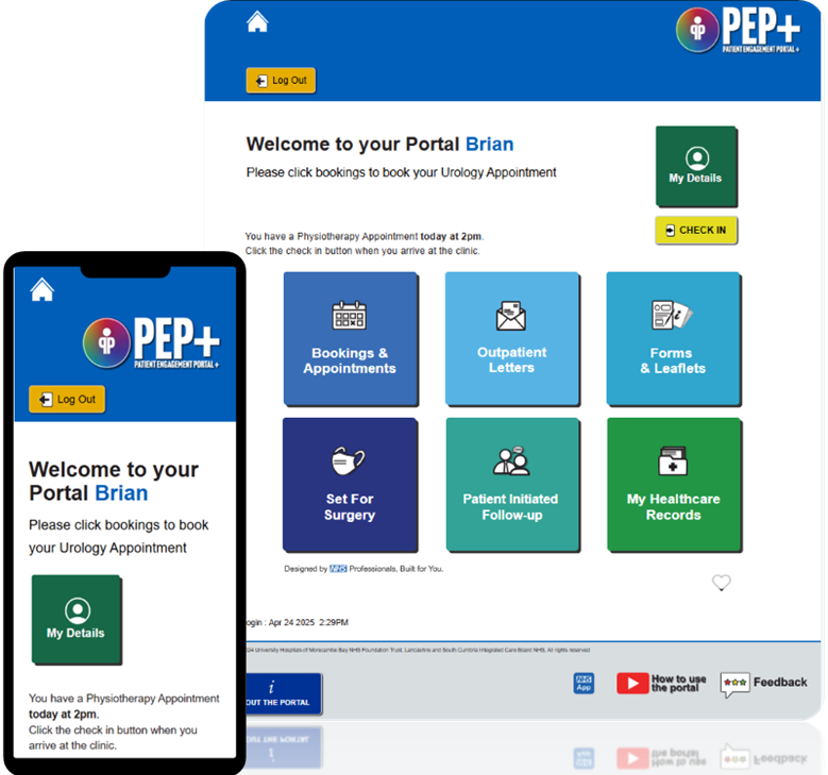
 PEP+ is a regional Patient Engagement Portal, which has been created by the Digital Services Team at the University Hospitals of Morecambe Bay NHS Foundation Trust (UHMBT). PEP+ was first introduced at UHMBT and the portal has now been introduced at all NHS Trusts in Lancashire and South Cumbria.
PEP+ at Lancashire Teaching Hospitals
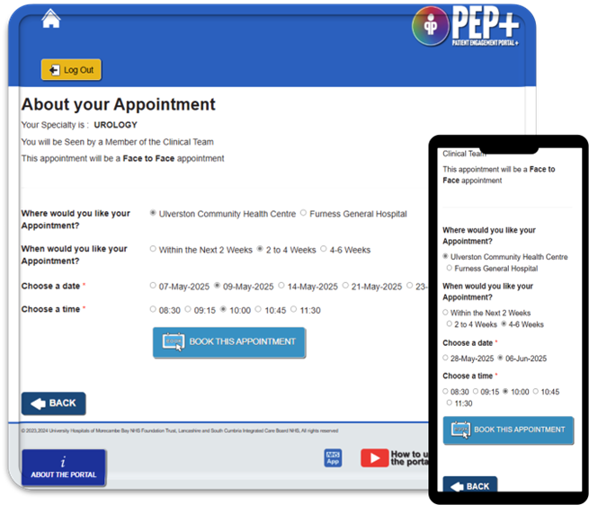
PEP+ has been introduced at Lancashire Teaching Hospitals (LTH) and it currently allows patients to:
- View and manage their own appointment.
- Cancel or reschedule their appointment.
- View and download outpatient appointment letters.
- View and update their own personal information.
PEP+ allows patients to view and update their own personal information. Within the “My Details” section, LTH patients can currently check and amend their mobile phone number, address and ethnicity.
There are plans over the next few years to extend the range of functionality that the system offers and this will be introduced using a phased approach.
How can I access the PEP+ platform?
You can access the PEP+ platform at any time using the link below or via the QR code supplied. We will contact 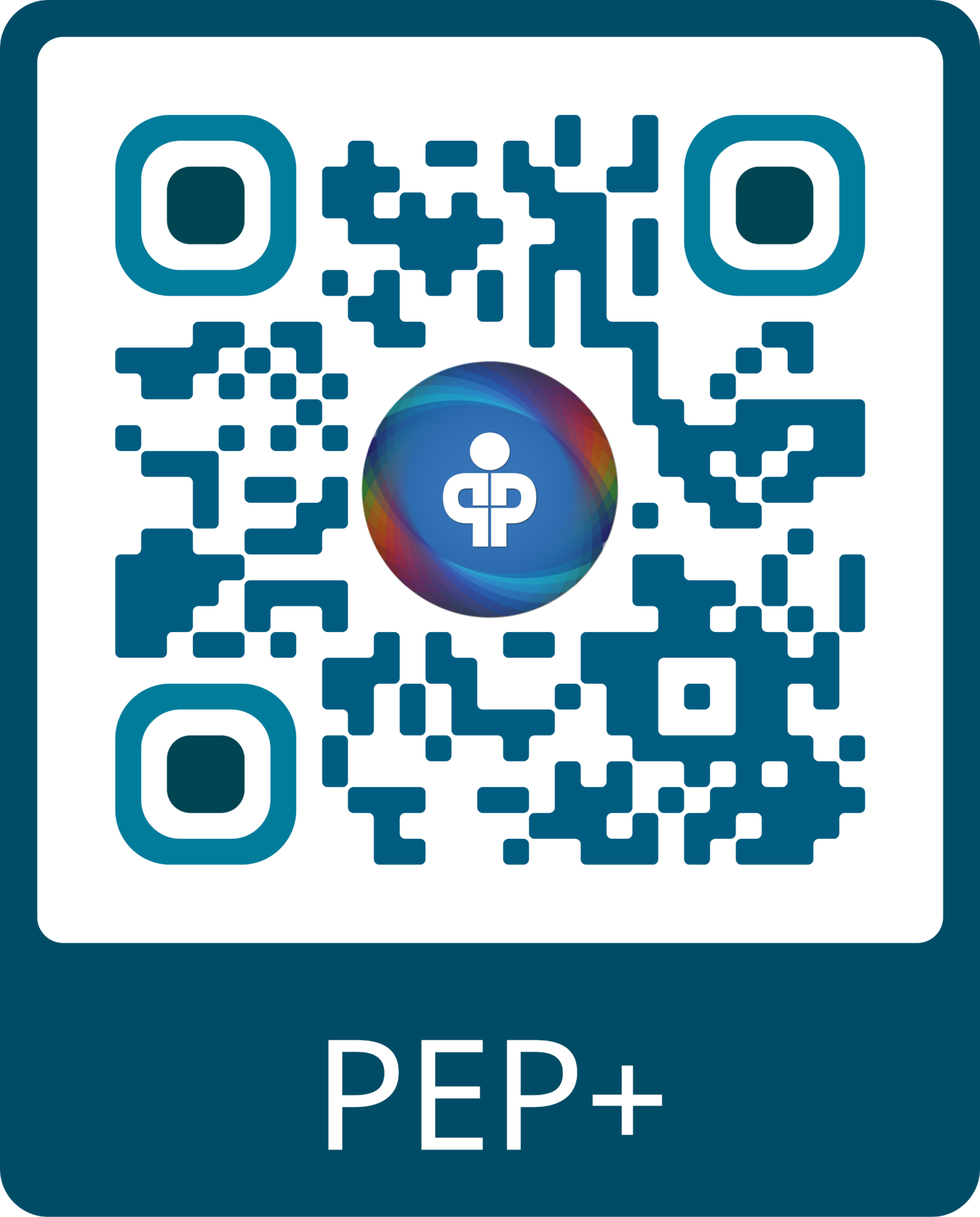 you via SMS message when you have a task to complete. When you receive an SMS notification from ‘NHSAppt’. Simply click on the link to make your booking, view your letter or complete a healthcare questionnaire.
Access the PEP+ Engagement Portal
Updating your personal information
PEP+ allows patients to view and update their own personal information.
Within the “My Details” section, patients of Lancashire Teaching Hospitals can currently check and amend the following:
- Mobile phone number
- Email address
- Ethnicity
Digital Appointment Letters
PEP+ is the new home of Lancashire Teaching Hospital’s digital outpatient appointment letters. Once you have received an SMS invitation to view appointment details on PEP+, you can access all relevant letters under the ‘Outpatient Letters’ header.
There, the letter can be viewed and downloaded, and you can request to cancel or reschedule the corresponding appointment by selecting the “Cancel/Change Appointment” button within the letter view.
SMS Invitations and Reminders
To ensure that you are fully informed and are notified urgently of any changes to your upcoming appointments, you will receive different SMS messages throughout your healthcare journey, as below.
- Portal invitation: this SMS message will be received when a new appointment is booked by the hospital
- Appointment update: this SMS message will be received whenever an important update has been made to an upcoming appointment
- 7 day reminder: this SMS message will be received 7 days prior to the date of the upcoming appointment
- 48 hour reminder: this SMS message will be received 48 hours prior to the date of the upcoming appointment
All messages will be received from “NHSAppt”, ensuring that patients know they are genuine.
Digital Clinic Letters
Digital clinic letters are now available to view in the Patient Engagement Portal. Once a letter has been finalised by the relevant department, you, your guardian or carer, will receive a text message from ‘NHSAppt’ inviting you to review your letter, along with a link to the patient portal where you will be required to enter the relevant NHS number and date of birth. You will then be directed to ‘My Healthcare Records’ where you will find the digital clinic letter waiting for you. This can be viewed and downloaded, as necessary. Should you decide to opt-out, or not view the letter within 7 days, a paper copy will be posted.
- FAQs
Is the system safe?
Yes, the Patient Engagement Portal+(PEP+) has been through rigorous safety and external penetration testing to ensure that your data is safe and secure.
How do I log onto the portal?
You can access the PEP+ Portal using the link below.
Access the PEP+ Engagement Portal
You can log into the portal is by using your NHS login credentials. This is usually your NHS Number and date of birth.
If you have the NHS app or have logged into online NHS services previously, you’ll be able to use those same credentials to log into the PEP+ portal. For more information or support, or to download the NHS app, visit: NHS App and your NHS account - NHS.
What should I do if I don’t know my NHS number?
Finding your NHS number
If you do not know what your NHS number is, you can get advice and support on how to find it by visiting the NHS.UK website: https://www.nhs.uk/nhs-services/find-nhs-number/.
There are several ways you can access your NHS number:
- Downloading the NHS App
- Use the Find Your NHS number service on the NHS UK website
- Find it on any letter from the NHS like a prescription or appointment letter
- Call your GP surgery and ask them for your NHS number.
Do I need to download anything onto my device?
No, the PEP+ is a web-based tool that is accessible on any smart device or computer. You access it when you are notified to complete specific tasks or to view documents. If want to save a link to the PEP+ portal on your device, you can do following these steps:
How to save the PEP+ link on your device
IOS/Apple:
- Open the website in your browser,
- Tap the ‘Share’ icon and select ‘Add to Home Screen’ from the options; this will create a shortcut to the website on your device home screen.
Android:
- Open the website in your browser,
- Tap the ‘2 DOTS’ icon and select ‘Add to Home Screen’ from the options; this will create a shortcut to the website on your device home screen.
Do I have to use the portal?
No, if you don’t want to access information and content via the portal you don’t have to. You may be asked to complete healthcare questionnaires in clinic instead of via the PEP+ in some cases.
Appointment bookings will be sent out to you as well as appointment letters, but you won’t have the ability to select your own dates.
Can I still access the PEP+ system if I don't have a smartphone?
Yes - you can still access the PEP+ portal using the portal link on any PC, laptop, tablet or web browser.
Who owns the portal?
The Patient Engagement Portal+ has been designed and created by the UHMBT Innovation, Information and Informatics Digital Services Team.
All content and enhancements are created alongside healthcare clinicians. The tool is part of a larger project called Project Wayfinder and will PEP+ will also be used at other NHS Trusts in Lancashire and South Cumbria including:
- Blackpool Teaching Hospitals
- East Lancashire Hospitals
- University Hospitals of Morecambe Bay NHS Foundation Trust.
Why have the PEP+ portal and the NHS App?
NHS England requires every NHS Trust to have a patient portal. We already share some data with the NHS app, so you can use that for some functions. However, PEP+ provides more advanced options, including healthcare questionnaires that link straight into your patient record and more.
Who should patients contact if they are having trouble logging into the PEP+ system?
Patients should contact the LTH PEP+ team and they will advise you on how to access the system.
How can I get in touch to provide feedback?
We welcome your feedback. Access the Patient Engagement Portal + and access the feedback button at the bottom of the page and let us know your thoughts!
- PEP+ Video Tutorials
Where can I find more information?
You can find an overview about each function within PEP+ in these YouTube videos below:
Overview of PEP+ - What is the PEP+ Patient Engagement Portal?